
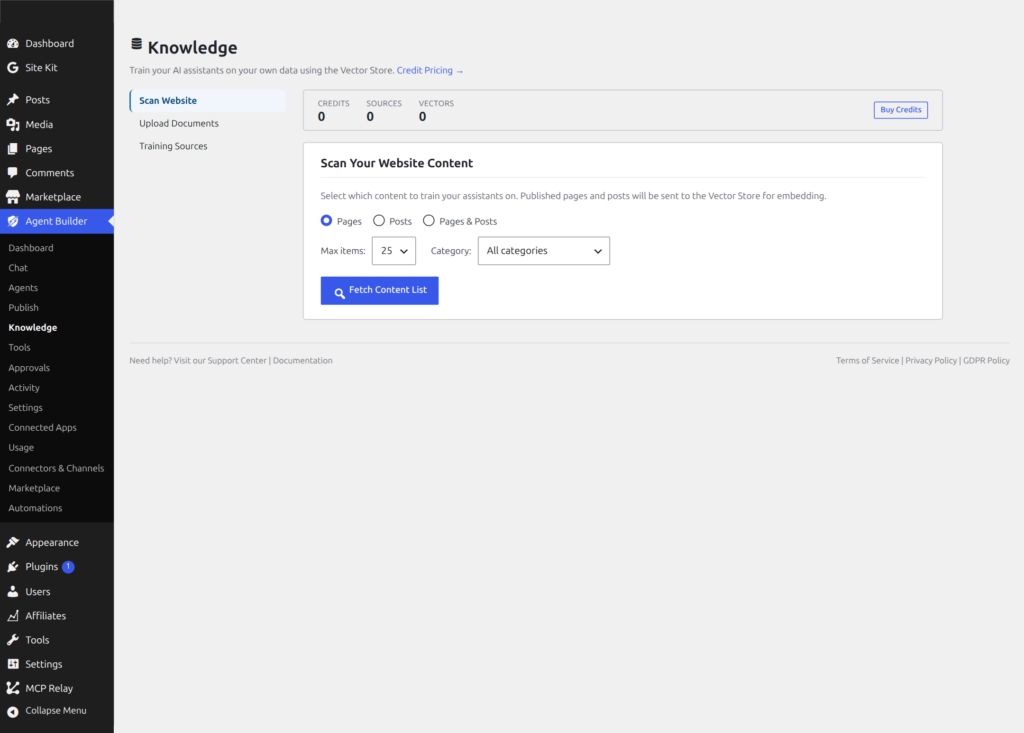
This is the technical reference for integrating custom agents with Agent Builder Pro’s Vector Store and RAG (Retrieval-Augmented Generation) pipeline. User-facing overview: AI Data Training. For free curated local knowledge, see Knowledge Wiki (OKF).
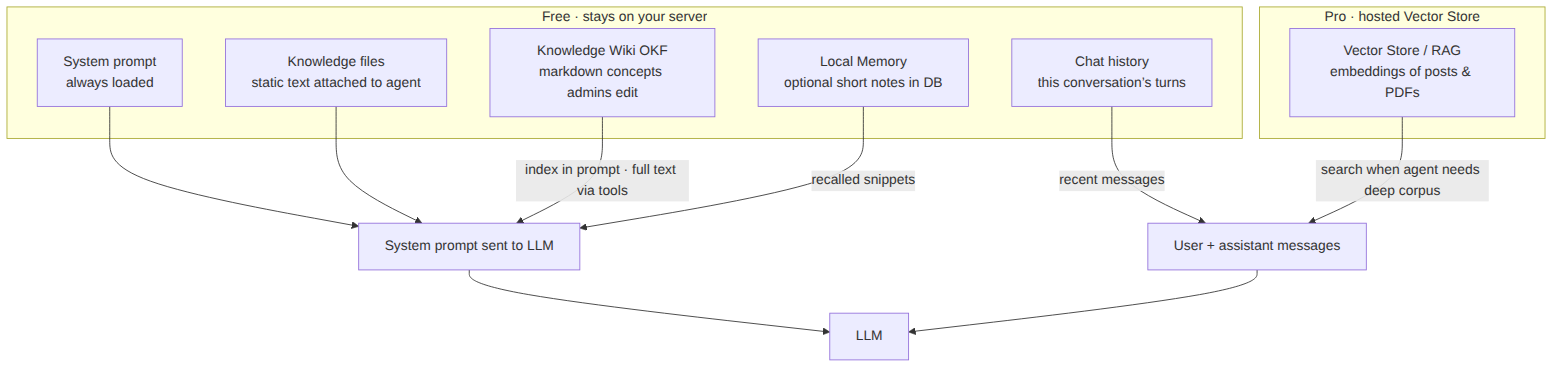
Where RAG sits in the stack
RAG is not the same as the agent’s system prompt or the free OKF wiki. Embeddings live in a hosted namespace; at query time matching passages are injected into context for the LLM.

Architecture Overview
Agent Builder’s RAG system has three layers:
- Ingestion — content is chunked, embedded, and stored in a namespace-isolated vector index on Google Vertex AI
- Retrieval — at query time, the user’s message is embedded and matched against stored vectors using semantic similarity search
- Generation — retrieved passages are injected into the LLM context as grounding evidence, producing answers that cite your actual documents
All communication goes through the Agentic RAG API at https://rag.agentic-plugin.com. Authentication uses a per-site API secret stored in agentic_rag_api_secret.
Training Sources
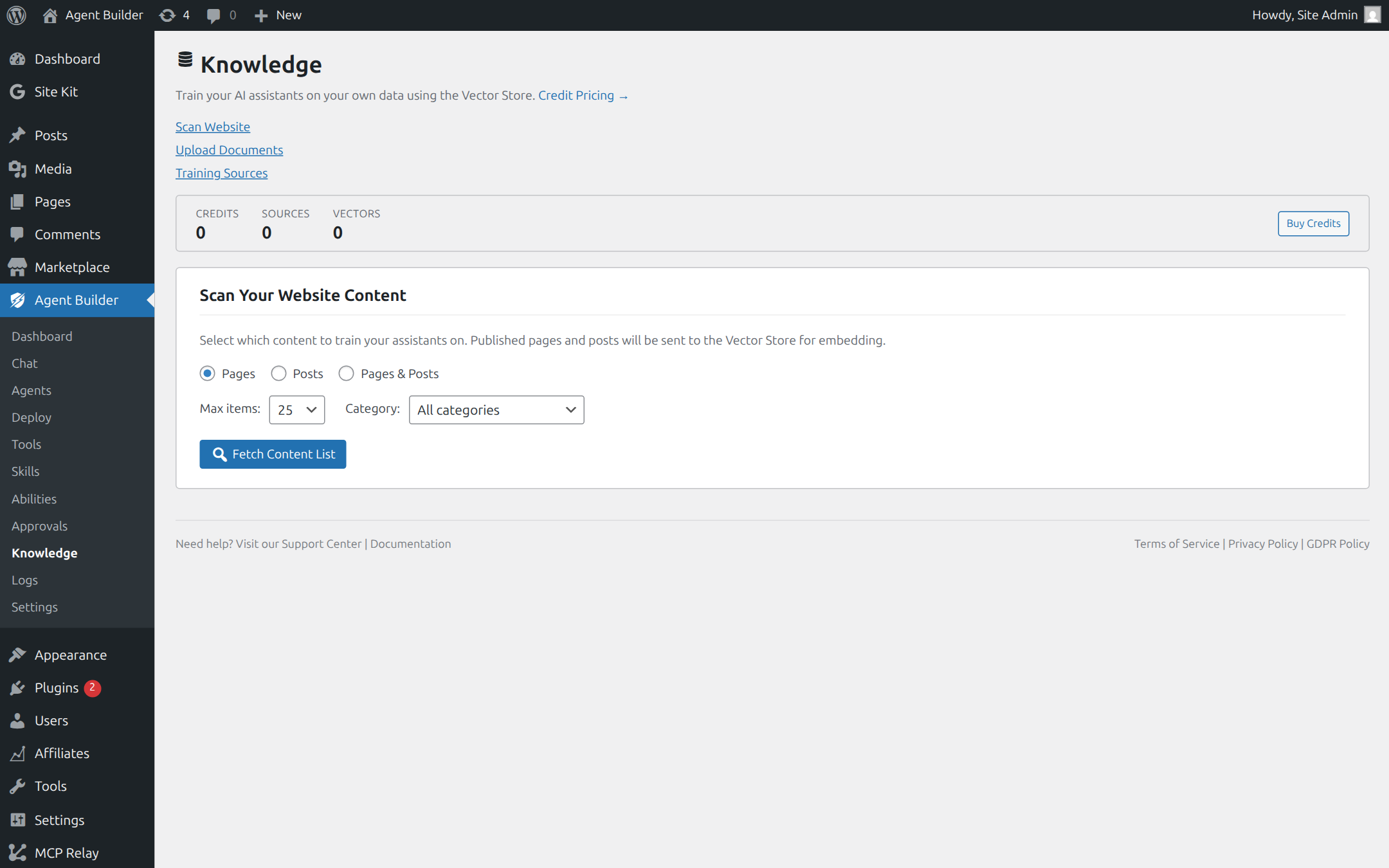
There are two ways to feed content into the vector store:
1. Train on WordPress Content
From Agent Builder → Knowledge, the admin UI scans your published posts, pages, and custom post types. Select which content to train and click Train. Behind the scenes, the plugin calls:
POST /train/text
{
  "user_id": "site-unique-id",
  "source_id": "post-123",
  "title": "Post Title",
  "content": "The full post content as plain text...",
  "url": "https://yoursite.com/post-slug/",
  "metadata": {
    "post_type": "post",
    "author": "admin"
  }
}
Content is chunked server-side into semantically meaningful segments (typically 500–1,000 tokens) with overlap, then embedded using Google’s text-embedding model and indexed in your namespace.
2. Upload Files (PDF, TXT)
Upload documents directly from the Knowledge page. The plugin sends a multipart upload to:
POST /train (multipart/form-data)
Fields: user_id, file
Supported formats: PDF, plain text. Files up to 50 MB. The API extracts text, chunks, embeds, and indexes in the same pipeline as WordPress content.
RAG API Endpoints
All endpoints require the X-API-Key header with your site’s RAG secret.
| Method | Endpoint | Purpose |
|---|---|---|
| POST | /train/text | Train on text content (posts, pages) |
| POST | /train | Upload and train on a file (multipart) |
| GET | /sources?user_id=X | List all trained sources |
| DELETE | /sources | Delete a specific source by ID |
| GET | /query?q=X&user_id=X | Semantic search across trained content |
How Agents Use RAG Context
When a user sends a message to an agent on a site with trained data, the chat pipeline automatically:
- Queries the vector store — the user’s message is sent to
/queryto find the most relevant passages from your trained content - Injects context — matching passages are prepended to the system prompt as grounding evidence, with source attribution
- Generates response — the LLM receives both the user’s question and the retrieved passages, producing an answer grounded in your actual data
- Cites sources — the response includes references to the source document and passage, so users can verify the answer
This happens transparently — your agent code does not need to call RAG tools explicitly. Any agent on a site with trained data automatically gets RAG-augmented context.
Programmatic Access
Developers can interact with the RAG system programmatically using the Agentic\RAG_Manager class:
use Agentic\RAG_Manager;

// Query the vector store
$results = RAG_Manager::api_request( '/query', 'GET', [
    'q'       => 'What is our refund policy?',
    'user_id' => get_option( 'agentic_site_id' ),
    'top_k'   => 5,
] );

// Train on custom content
$result = RAG_Manager::api_request( '/train/text', 'POST', [
    'user_id'   => get_option( 'agentic_site_id' ),
    'source_id' => 'custom-doc-1',
    'title'     => 'Refund Policy',
    'content'   => $my_document_text,
    'url'       => 'https://yoursite.com/refund-policy/',
] );

// List all trained sources
$sources = RAG_Manager::api_request( '/sources', 'GET', [
    'user_id' => get_option( 'agentic_site_id' ),
] );

// Delete a source
$deleted = RAG_Manager::api_request( '/sources', 'DELETE', [
    'user_id'   => get_option( 'agentic_site_id' ),
    'source_id' => 'custom-doc-1',
] );
AJAX Endpoints
The Knowledge admin page uses these WordPress AJAX actions (all require the agentic_train_data nonce):
| AJAX Action | Purpose |
|---|---|
agentic_td_get_overview | Get training stats and WordPress content scan |
agentic_td_scan_content | Scan published posts/pages for training candidates |
agentic_td_train_post | Train a single post by ID |
agentic_td_upload_file | Upload and train on a document file |
agentic_td_get_sources | List all trained sources from the vector store |
agentic_td_delete_source | Remove a source from the vector store |
agentic_td_get_credits | Check remaining credit balance |
agentic_td_get_pricing | Fetch current credit pricing |
agentic_td_get_transactions | Get credit transaction history |
Data Isolation and Security
- Namespace isolation — every site gets its own vector namespace. Cross-tenant retrieval is impossible.
- Encryption — TLS 1.3 in transit, AES-256 at rest. Keys managed by Google Cloud KMS.
- No model training — your data is never used to train Google’s foundation models. Governed by Google’s Data Processing Addendum.
- Right to erasure — delete any source or your entire corpus at any time, effective immediately.
Credit Costs
| Operation | Cost | Unit |
|---|---|---|
| Embed / Train | 1 credit | per 1,000 tokens (~750 words) |
| Semantic Query | 1 credit | per search query |
| Delete | Free | always |
Credits are shared across all Agentic services (RAG, Image Generation, Text-to-Speech). Check your balance in Settings → Health → Credit Balance.
Requirements
- Active Personal or Agency license
- Prepaid credits (check balance in Settings → Health)
- PHP 8.1+ with cURL extension
Related
- AI Data Training — user-facing overview and enterprise use cases
- Building a Custom Agent — agent code structure
- Agent Tools — all available built-in tools
- GDPR and Data Protection — privacy compliance
Ready to put this to work?
Agent Builder is free forever — 8 AI agents, 261 tools, no API key needed.
Download Free Compare Free vs Pro