
Type / in any agent chat input to open a command palette. Slash commands execute instantly — no LLM round-trip, no credits consumed — giving admins fast access to agent state, configuration, and session controls.
Using Slash Commands
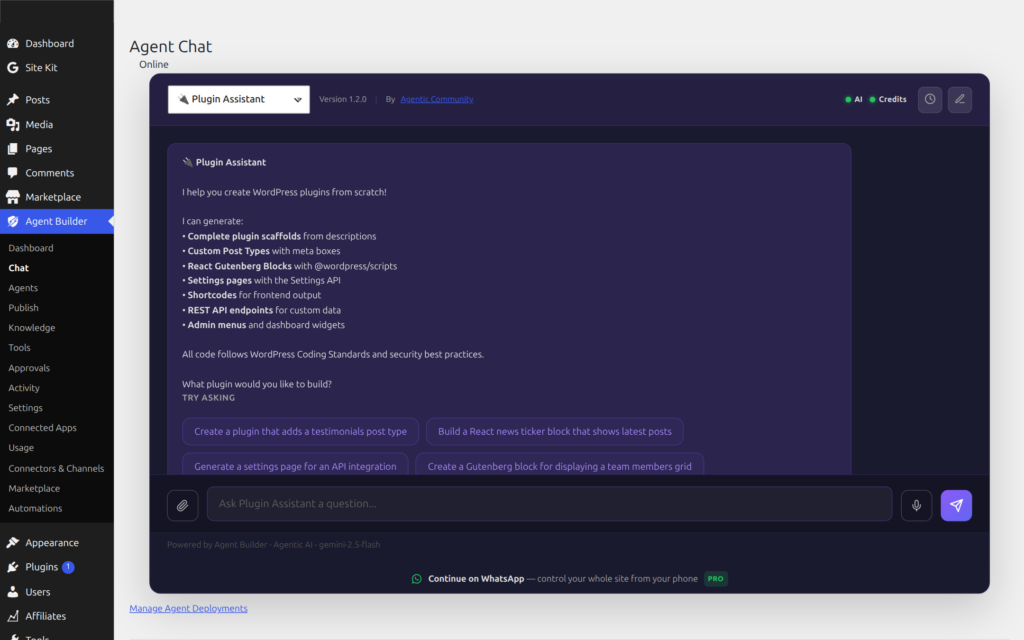
Click the chat input and type /. A palette floats above the input showing all commands available for this agent and context. Continue typing to filter (e.g. /sta narrows to /status). Use arrow keys to navigate, Enter or Tab to select, Escape to dismiss.
Commands are backend-only by default — they appear in the wp-admin chat but not in frontend shortcodes or modal widgets unless you explicitly enable frontend access under Agent Builder → Tools → Slash Commands.
Session Commands
These commands run entirely in the browser — no server call is made.
| Command | Description |
|---|---|
/clear | Clear the conversation history and start a fresh session. |
/help | List all available slash commands for this agent and context. |
/history [count] | Show the last N turns of the current conversation (default: 10). |
/export | Download the current conversation as a Markdown .md file. |
/compact | Summarise and compress conversation history to save context space. Calls the server. |
/debug | Toggle debug mode — show tool call names and arguments inline in responses. |
Agent Commands
These commands call the server and return structured output without consuming LLM credits.
| Command | Description |
|---|---|
/status | Show agent model, plan, credits used today, and daily quota. |
/credits | Show remaining Agentic AI credit balance with per-service breakdown. |
/model | Show the LLM model and provider this agent is currently using. |
/tools | List every tool this agent has access to and its enabled state. |
/capabilities | Full capability stack: tools, skills, channels, and WordPress abilities. |
/prompts | Show the suggested prompt buttons configured for this agent. |
/agent <agent-id> | Switch to a different agent mid-conversation. |
/task <task-id> | Trigger a named scheduled task for this agent on demand. |
Admin Commands
These commands are restricted to the wp-admin backend and cannot be enabled on the frontend.
| Command | Description |
|---|---|
/audit | Show the last 10 tool calls from the audit log for this agent. |
/deploy | Show the active deployment channels and surfaces for this agent. |
Managing Slash Commands
Go to Agent Builder → Tools → Slash Commands to:
- Enable or disable any command globally.
- Set which contexts a command appears in: Backend (wp-admin) and/or Frontend (shortcodes, modal widget).
- Override settings per-agent — expand any agent row to toggle individual commands independently from the global setting.
Per-agent settings take precedence over global settings. Disabling a command for a specific agent hides it from that agent’s palette without affecting others.
Testing via WP-CLI
Server-side slash commands can be tested from the terminal without a browser using the wp agent slash-command subcommand.
List all commands
wp agent slash-command --listOutputs a table of all 16 commands with their category, contexts, execution mode (client/server), and enabled state.
Run a command
wp agent slash-command status wordpress-assistant
wp agent slash-command tools seo-assistant
wp agent slash-command credits
wp agent slash-command audit wordpress-assistant
wp agent slash-command agent wordpress-assistant --args="seo-assistant"
Test frontend context
wp agent slash-command status wordpress-assistant --context=frontendCommands disabled for the requested context will return a warning. Client-side commands (/clear, /help, /export, /debug, /history, /prompts) have no server logic and can only be verified in the browser.
Command Reference
| Command | Category | Default Contexts | Execution |
|---|---|---|---|
/clear | Session | Backend | Client |
/help | Session | Backend | Client |
/history | Session | Backend | Client |
/export | Session | Backend | Client |
/compact | Session | Backend | Server |
/debug | Session | Backend | Client |
/status | Agent | Backend | Server |
/credits | Agent | Backend | Server |
/model | Agent | Backend | Server |
/tools | Agent | Backend | Server |
/capabilities | Agent | Backend | Server |
/prompts | Agent | Backend | Client |
/agent | Agent | Backend | Server |
/task | Agent | Backend | Server |
/audit | Admin | Backend only | Server |
/deploy | Admin | Backend only | Server |
Ready to put this to work?
Agent Builder is free forever — 8 AI agents, 261 tools, no API key needed.
Download Free Compare Free vs Pro