
White-label branding lets you remove all Agent Builder attribution from the chat interface. Available on Personal and Agency plans.
How to Enable
- Go to Agent Builder → Settings → Styles
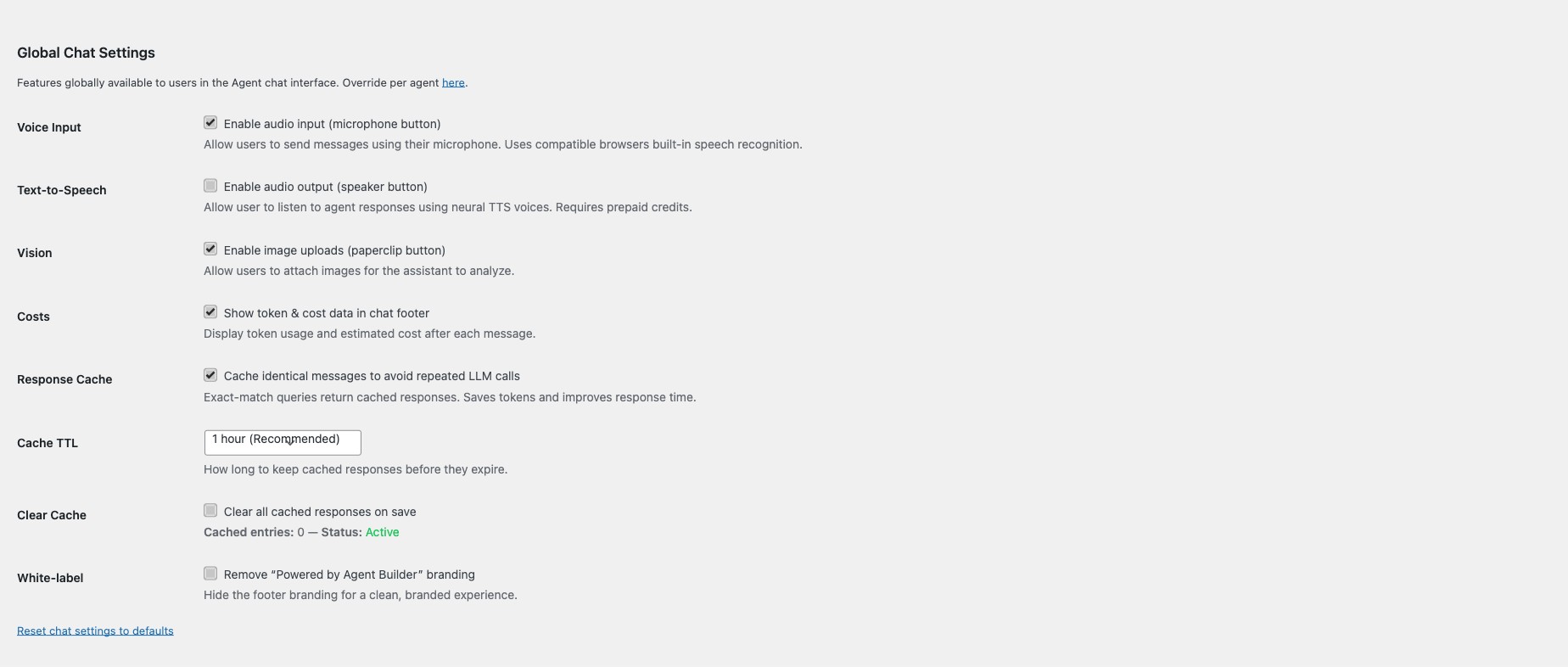
- Scroll to Global Chat Settings
- Check White-label to remove “Powered by Agent Builder” branding
- Click Save Settings
Once enabled, the “Powered by Agent Builder” footer is removed from all chat interfaces — frontend shortcodes, the admin chat panel, and WhatsApp responses.
What Gets Removed
- The “Powered by Agent Builder” text in the chat footer
- Any Agent Builder branding in exported or embedded chat widgets
Requirements
White-label requires an active Personal or Agency license. See Licensing and Pricing for plan details.