
The Interface tab controls how chat looks and how assistants address people. Open it from Agent Builder → Settings → Interface.
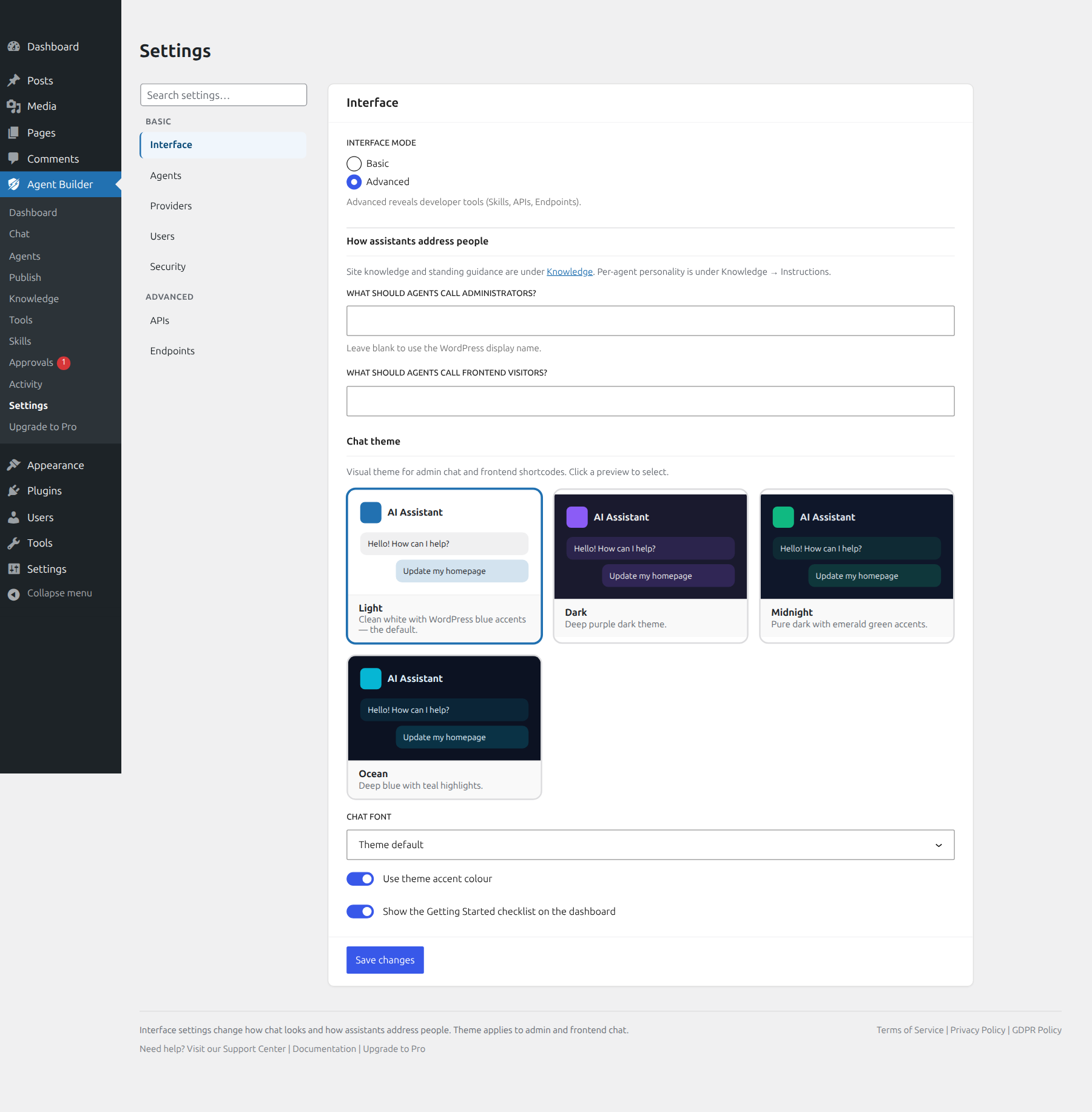
Chat capabilities (audio, vision, white-label) live on Settings → Agents. Site knowledge is under Knowledge; per-assistant greetings and persona notes are under Knowledge → Instructions.
Interface mode
- Basic — everyday settings only.
- Advanced — reveals Skills, APIs, and Endpoints for developers.
How assistants address people
Optional fields for what agents should call administrators and frontend visitors. Leave blank to use each person’s WordPress display name.
Chat theme
Choose a visual theme with live preview cards. Changes apply to the admin chat page and frontend shortcodes after you save.
| Theme | Description | Best for |
|---|---|---|
| Light (default on new installs) | Clean white with WordPress blue accents | Light sites and matching wp-admin |
| Dark | Deep purple dark theme | Dark admin / reduced eye strain |
| Midnight | Pure dark with emerald accents | Developer-oriented dark UIs |
| Ocean | Deep blue with teal highlights | Marine, travel, or tech sites |
Also set Chat font, whether to use the theme accent colour, and whether the dashboard shows the Getting Started checklist (toggle at the bottom of Interface).
Where styles apply
- Admin Chat — Agent Builder → Chat
- Frontend shortcodes —
Assistant Trainer
- Admin bar chat — when enabled for a role
Related
Ready to put this to work?
Agent Builder is free forever — install assistants, connect a provider when you are ready, and stay in control with Approvals.
Download Free Compare Free vs Pro