
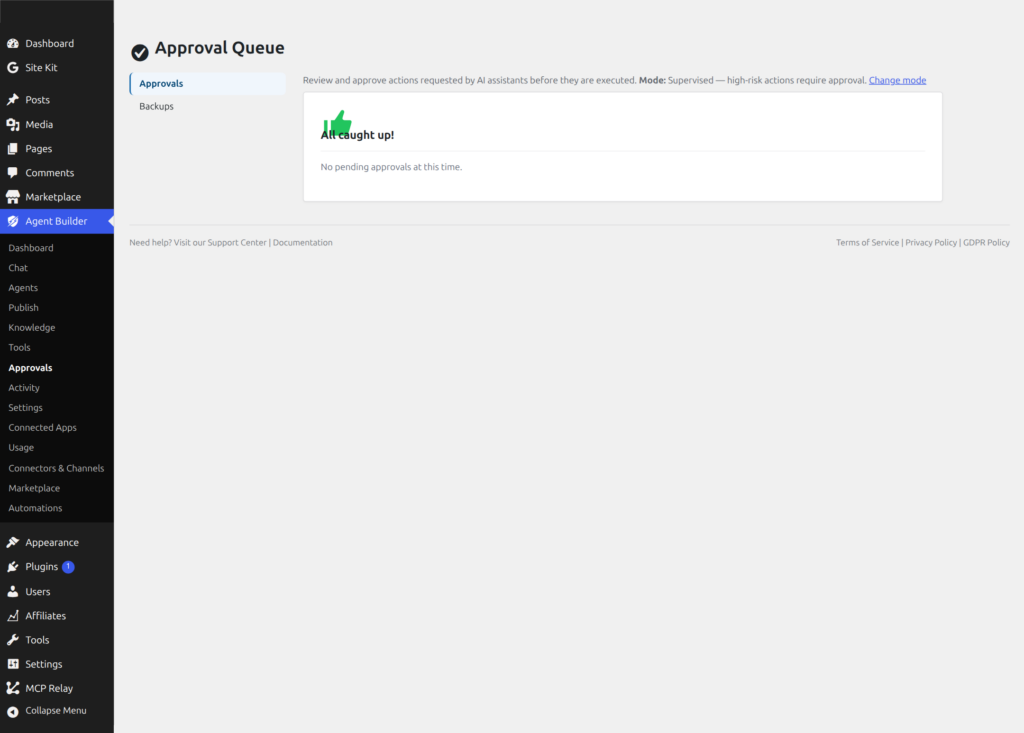
Agent Builder → Approvals is the approval queue for changes your AI assistants want to make to files on your site. Before any code is written to disk, it appears here for your review.
Agent Mode
The behaviour of this queue is controlled by the Agent Mode setting in Settings → Agents:
- Supervised (default) — code changes are held in the queue until you approve or reject them. Documentation updates and non-file actions happen automatically.
- Autonomous — all actions execute immediately without appearing in the queue. A warning banner is shown on this page as a reminder. Only enable Autonomous mode if you trust your assistant configuration completely — an assistant running in this mode can modify files, change settings, or alter database records on your site without asking first.
- Disabled — assistants cannot propose any file changes. The queue will always be empty.
Reviewing Proposals
Each item in the queue shows:
- Action type — what the assistant is trying to do (for example Write File, Modify Option, Manage Transients)
- Agent — which assistant made the proposal
- Created — how long ago the proposal was queued
- Expires — how long until the proposal is automatically discarded if neither approved nor rejected
- Details — a diff or parameter view showing exactly what would change
Use Approve to execute the action immediately, or Reject to discard it. Either way, the outcome is recorded in the Activity log.
All Caught Up
When there are no pending proposals, the page displays an “All caught up!” message. This is the normal state for most sites running in Supervised mode — proposals only accumulate when an assistant is actively generating code changes that you have not yet reviewed.
User-Space Write Actions
Four actions can land in the approval queue when corresponding permissions are enabled:
- Write file (
write_file) — create or overwrite a file on your server. A backup copy is saved inwp-content/agentic-backups/automatically before anything is overwritten. - Modify option (
modify_option) — change a WordPress site setting (the kind stored under Settings in your admin) - Manage transients (
manage_transients) — set or delete temporary cached data that WordPress stores with an expiration date - Modify post meta (
modify_postmeta) — update hidden information attached to a post, such as custom fields
If a write action fires while Autonomous mode is active, it bypasses this queue and executes directly. Switch back to Supervised mode in Settings if you want to review changes before they are applied.