
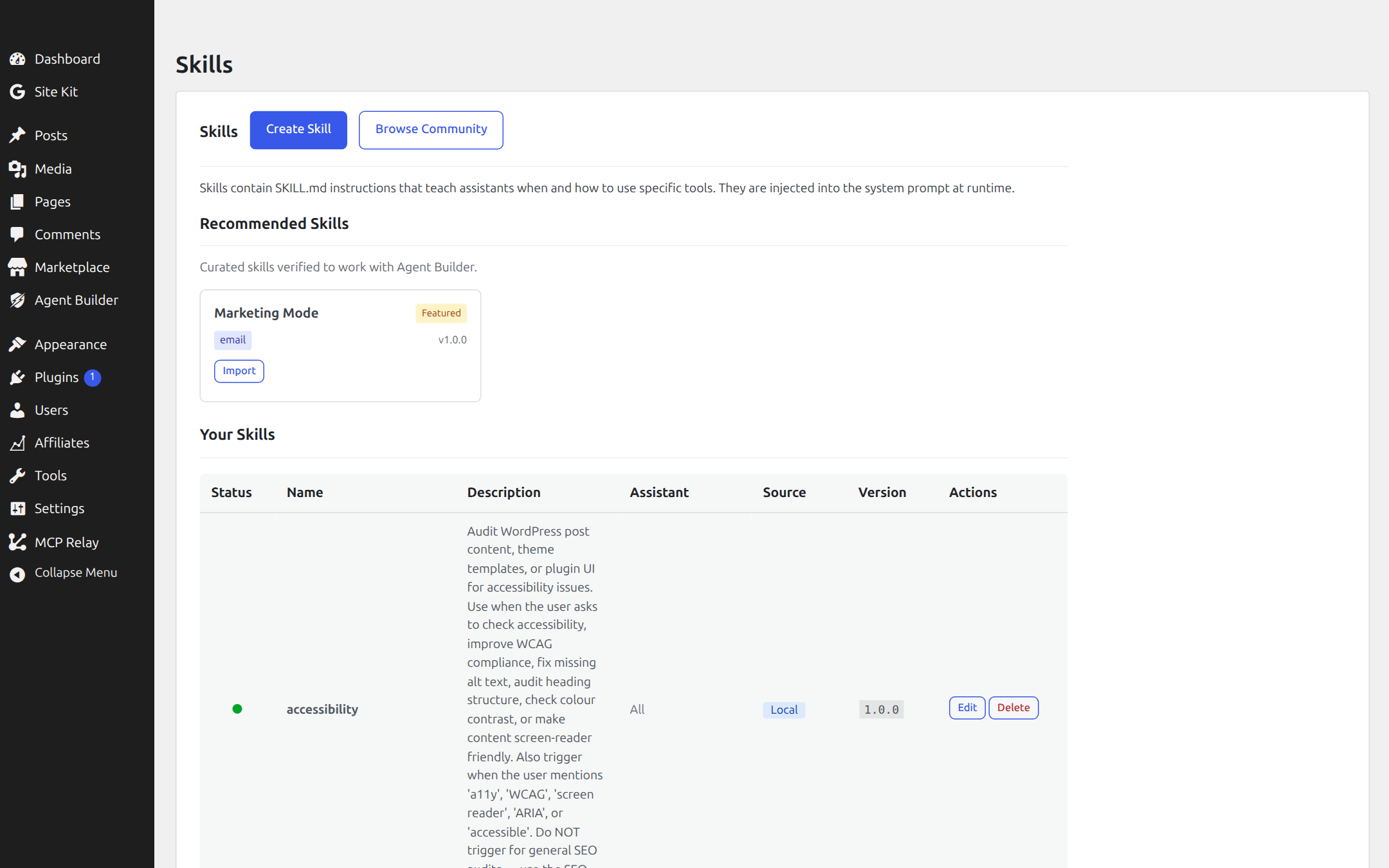
Skills are SKILL.md instruction files that teach your AI assistants when and how to use specific tools. They sit between the agent and its tools in the capability stack — like a playbook for specific scenarios.
How Skills Work
A skill is a markdown document injected into the assistant’s system prompt at runtime. It contains reasoning patterns, decision trees, and tool usage instructions. Skills never contain API keys or make HTTP calls — they operate purely as instructions.
Example: A WhatsApp Escalation skill might instruct: “When the user asks to speak to a human, collect their name and issue summary, then call the send_slack_message tool to notify the support channel.”
The stack
Agent → Skill → Channel → Tool — Skills teach agents when to act. Tools are how they act. See the full capability stack.
Built-in Core Skills
These 26 skills ship with Agent Builder and are available in every install. They are seeded automatically on activation and can be enabled, disabled, or edited in Agent Builder → Skills.
xlsx
Read, analyse, create, and edit Excel spreadsheets. Includes column stats and formula support.
Read PDFs page-by-page, create PDFs from HTML, and merge multiple PDF files.
docx
Read, create, and export Word documents. Export WordPress posts directly to .docx.
git
Git version control on the server: status, log, diff, commit, push, pull. Plus GitHub API access.
search
Full-text search across posts, pages, and custom post types. Media library search with date and MIME filters.
web-browsing
Fetch and read external web pages, JSON APIs, and RSS feeds. Supports text, HTML, and JSON output formats.
image-processing
Resize, crop, compress, and convert images locally (no credits). Covers AI editing and upscaling too.
data-analysis
Analyse spreadsheet and tabular data: column stats, summaries, frequency breakdowns, and report export.
content-planning
Review the publishing calendar, schedule drafts for future publication, and fill content gaps.
woocommerce
Full store management: orders, products, customers, stock, refunds, coupons, and store analytics.
comment-moderation
Review the comment queue, approve or spam comments, and post admin replies.
translation
Translate post content, product descriptions, or any text while preserving HTML and shortcodes.
code-review
Review WordPress theme/plugin PHP and JS for security (XSS, SQLi, nonces), WPCS, and performance.
accessibility
Audit post content and pages for WCAG A/AA compliance: headings, alt text, contrast, and ARIA.
doc-coauthoring
Collaborative document drafting: brief, draft, review, and refine in structured stages.
internal-comms
Write internal communications: memos, project updates, meeting notes, and policy announcements.
frontend-design
Build production-grade UI: Gutenberg blocks, admin pages, theme templates, and standalone components.
mcp-builder
Build Model Context Protocol servers in Python or TypeScript to expose WordPress to AI tools.
skill-creator
Design and write SKILL.md files for this plugin. Includes trigger writing, workflow structure, and testing.
Send emails via the configured Email channel. Supports HTML, CC, and reply-to. Requires Pro.
Browse Community Skills
Curated skills verified to work with Agent Builder. Import any skill directly from your WordPress admin.
Managing Skills
In your WordPress admin, go to Agent Builder → Skills to:
- Create your own skills from scratch
- Import curated skills with one click from the Recommended section
- Browse Community to search the OpenClaw skill registry
- Assign skills globally or to specific assistants
- Toggle skills on/off without deleting them
Contribute a Skill
Built a useful skill?
Share your SKILL.md with the community. We’ll review it for compatibility and publish it in the curated directory.
Ready to put this to work?
Agent Builder is free forever — 8 AI agents, 261 tools, no API key needed.
Download Free Compare Free vs Pro