
What Is Event Automation?
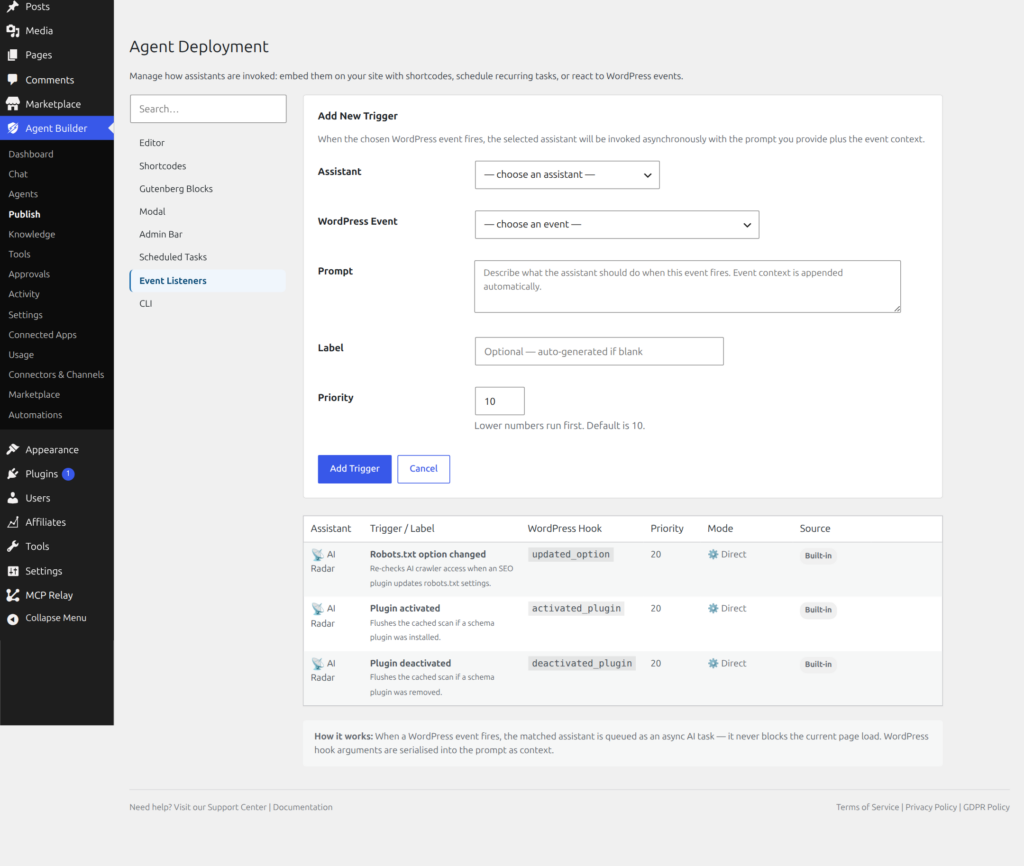
Event automation lets assistants react to things happening on your site in real time. When a specific event occurs — like publishing a post or uploading an image — an assistant can automatically take action.
How It Works
When you activate an assistant that has event listeners, it starts monitoring for specific WordPress events. When an event fires, the assistant processes it in the background so your site stays fast.
Examples
- Post published: Automatically check SEO, add meta descriptions, suggest internal links
- Image uploaded: Generate alt text descriptions for accessibility
- Comment submitted: Screen for spam or offensive content
- User registered: Send a personalized welcome message
- Plugin updated: Review changelog and flag potential issues
No Impact on Site Speed
Event processing happens asynchronously — it does not slow down the original action. When you publish a post, it publishes instantly. The assistant processes the event in the background a few seconds later.
Viewing Activity
All event-triggered actions are logged in Agent Builder → Activity. You can see exactly what each assistant did and when.