
Eight Free Agents, Ready to Go
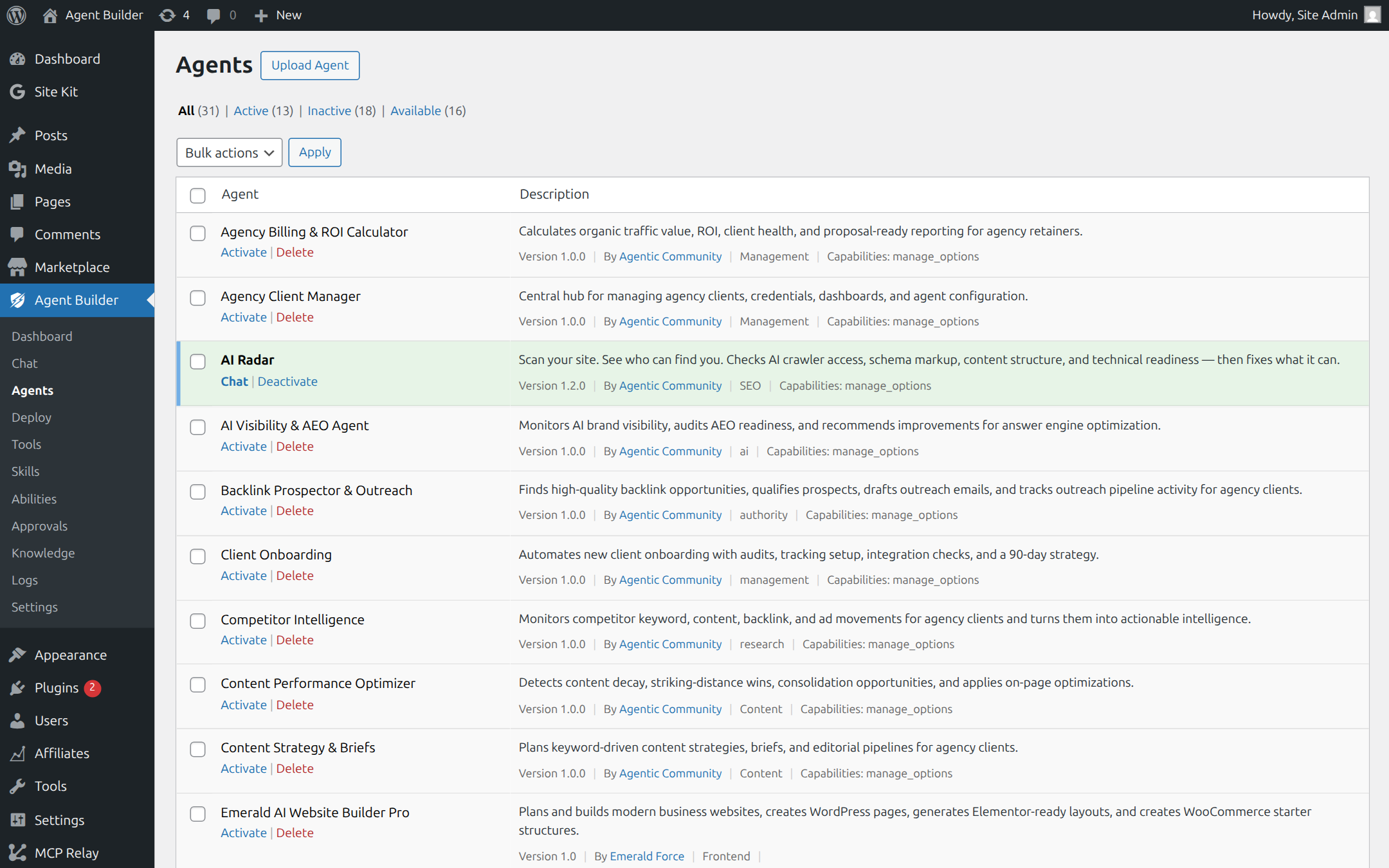
Agent Builder includes eight built-in agents for free — no setup beyond connecting an AI provider. Activate them in Agent Builder → Installed Agents. Agents marked Pro below require an Agent Builder Pro license.
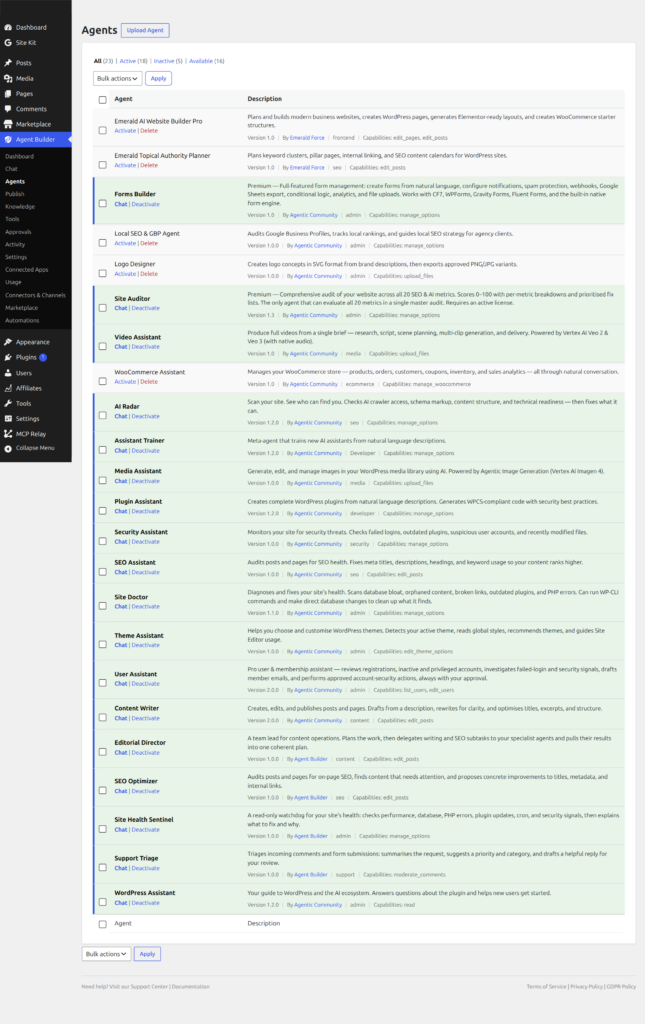
🧭 WordPress Assistant · Free
Your general-purpose WordPress and Agent Builder guide. Ask it anything about your site — settings, plugins, content, users — or get help choosing the right agent for a task.
Example prompts:
- “What plugins do I have installed?”
- “Show me my 5 most recent posts”
- “Which agent should I use to improve my SEO?”
- “Help me clean up draft posts from last year”
✍️ Content Writer · Free
Creates, edits, and publishes your posts and pages. Describe what you want in plain English, review the draft, and publish — without touching the editor.
Example prompts:
- “Write a blog post about spring gardening tips”
- “Create an About page for a bakery business”
- “Rewrite my latest post to be more conversational”
- “Suggest 10 blog post ideas for a fitness website”
📈 SEO Optimizer · Free
Audits posts and pages for on-page SEO, finds content that needs attention, and proposes concrete improvements you can approve one by one.
Example prompts:
- “Audit my homepage for on-page SEO issues”
- “Which posts are missing a meta description?”
- “Propose a better title for my latest post”
🩺 Site Health Sentinel · Free
A read-only watchdog for your site’s health: checks performance, database, PHP errors, plugin updates, and cron — and reports what needs your attention before it breaks.
Example prompts:
- “Run a health check on my site”
- “Are there any PHP errors I should know about?”
- “Which plugins have updates waiting?”
🎫 Support Triage · Free
Triages incoming comments and form submissions: summarises each request, suggests a priority and category, and drafts a first reply for your approval.
Example prompts:
- “Summarise this week’s pending comments”
- “Draft replies to the three most urgent support requests”
👥 User Assistant · Free
Helps you manage your site’s people: reviews registrations and inactive accounts, flags risky privileged users, and keeps your user list tidy.
Example prompts:
- “Which admin accounts haven’t logged in for 6 months?”
- “Show me new registrations from this week”
🗂️ Editorial Director · Free
A team lead for content operations. Plans the work, then delegates writing and SEO subtasks to your specialist agents — and checks their output before it reaches you.
Example prompts:
- “Plan next month’s content calendar”
- “Have the team draft and optimise three posts about our new product”
🏗️ Assistant Trainer · Free
A meta-agent that creates and trains new AI agents from a plain job description. Tell it what you need — it deploys a new custom agent without you writing any code.
Example prompts:
- “Create an agent that monitors my site for broken links”
- “Build an agent that helps customers find products”
- “Make a content auditor that checks posts for outdated information”
Pro Specialists (Agent Builder Pro)
An Agent Builder Pro license adds nine specialist agents — including the four below, plus Media Assistant (AI image generation), Plugin Assistant (generates WordPress plugins), and Theme Assistant (theme customisation). Pro also upgrades Assistant Trainer and User Assistant with their full capabilities.
🔍 SEO Assistant · Pro
Audits every post for title length, meta description, keyword density, headings, and links. Applies fixes directly — no SEO plugin juggling required.
Example prompts:
- “Audit my last 5 posts for SEO issues”
- “Fix the meta description on my homepage”
- “Which posts are missing a focus keyword?”
- “Add alt text to all images in my latest post”
🔒 Security Assistant · Pro
Monitors failed logins, flags outdated plugins, audits admin accounts, and checks for modified core files. Surfaces security risks before they become problems.
Example prompts:
- “Are any of my plugins out of date?”
- “Show me failed login attempts from the last 7 days”
- “Check my site for suspicious file modifications”
🚑 Site Doctor · Pro
Finds database bloat, broken internal links, orphaned content, inactive plugins, and PHP errors. Scores your site’s health and tells you exactly what to fix.
Example prompts:
- “Give my site a full health check”
- “Find all broken links on my site”
- “Which posts have no internal links pointing to them?”
- “Clean up post revisions and expired transients”
📡 AI Radar · Pro
Scans your site’s visibility to AI search engines — checks robots.txt, schema markup, content structure, and technical readiness. Scores 0–100 with a weekly monitoring option.
Example prompts:
- “Is my site visible to AI search engines?”
- “Check my schema markup”
- “What is blocking AI crawlers from indexing my content?”
- “Run a weekly AI visibility report”
Agents by Use Case
Not sure which agent to reach for? Here’s a quick reference by what you want to accomplish:
Content & Editorial
- Write, edit, or rewrite posts and pages → Content Writer (Free)
- Plan and delegate content operations → Editorial Director (Free)
- Optimise titles, meta descriptions, keywords → SEO Optimizer (Free) or SEO Assistant (Pro)
Site Health & Security
- Watch performance, PHP errors, updates → Site Health Sentinel (Free)
- Monitor logins, flag outdated plugins, audit files → Security Assistant (Pro)
- Fix database bloat, broken links, orphaned content → Site Doctor (Pro)
- Check AI crawler visibility and schema markup → AI Radar (Pro)
Site Management & Automation
- General WordPress questions and task routing → WordPress Assistant (Free)
- Triage comments and form submissions → Support Triage (Free)
- Review registrations and user accounts → User Assistant (Free)
- Build a custom agent for any repeating task → Assistant Trainer (Free)
Activating an Agent
- Go to Agent Builder → Installed Agents
- Find the agent you want to use
- Click Activate
- Go to Agent Builder → Agent Chat to start a conversation
You can have multiple agents active at the same time and switch between them in the chat interface.
Need Something Custom?
If none of the built-in agents fit your exact workflow, use Assistant Trainer (Free) to describe what you need in plain English — it will generate a new custom agent and deploy it to your site automatically. You can also browse the Marketplace for community-built agents.