
Agent Builder lets you embed an AI assistant on any public page of your site using a shortcode. This guide covers everything a site owner needs to know before enabling public chat: what visitors can do, how to control costs, how to prevent abuse, and what privacy obligations apply.
What visitors can and can’t do
Frontend visitors interact with the assistant through chat only. They cannot trigger any actions that touch your site’s files, database, or settings unless you have explicitly granted those permissions in Agent Builder → Settings → Permissions.
By default, frontend visitors can:
- Send messages and receive AI responses
- Ask questions about your site’s content (if the assistant has access to it)
- Use any tools you have enabled for that specific assistant
Frontend visitors cannot (unless you deliberately configure it):
- Read or write files on your server
- Change settings or options in your WordPress admin
- Access other users’ data
- Execute code
- See admin-only information like plugin configuration, API keys, or license details
Recommendation: use a read-only assistant for public chat. Create a dedicated assistant for your frontend with all write permissions disabled. Only enable tools that are necessary for the use case — for example, a support assistant might only need access to your published posts and pages.
Cost implications
Every visitor message costs tokens at your AI provider. On a low-traffic site this is negligible; on a high-traffic site it can add up quickly.
Rough estimates for public chat:
- 100 conversations/day (∼500 messages): $1–$5/month depending on provider
- 1,000 conversations/day: $10–$50/month
- Viral traffic spike: costs can spike instantly — there is no built-in spend cap in Agent Builder itself
Set a spending cap at your provider’s dashboard before going public. Both OpenAI and Anthropic allow you to set monthly spending limits that will cut off API access if exceeded — this protects you from an unexpected bill during a traffic spike or an abuse incident.
See Choosing an AI Provider for a provider cost comparison, and Connecting an AI Provider for an explanation of how tokens translate to cost.
Rate limiting and abuse prevention
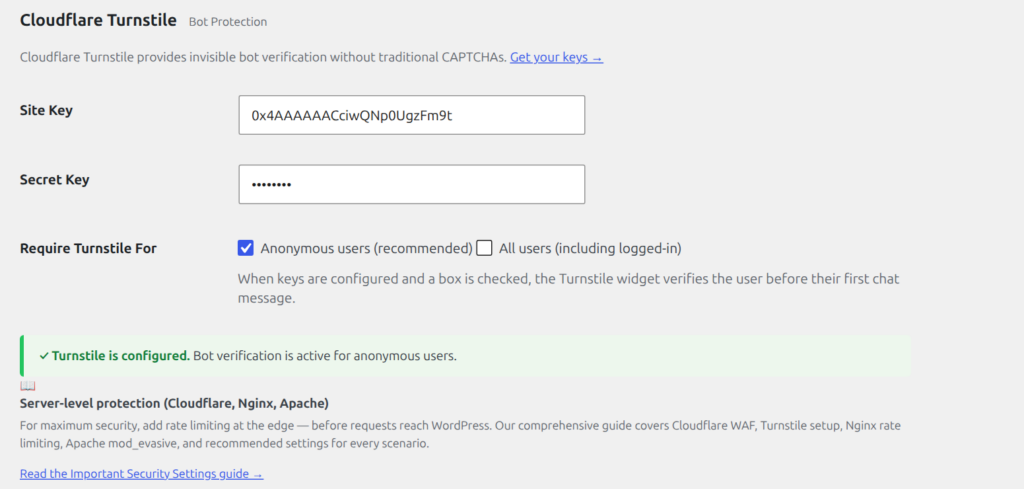
Agent Builder includes rate limiting for anonymous (not logged-in) visitors. You can configure the limit in Agent Builder → Settings → Chat. The default is 10 messages per visitor per day.
Additional measures to consider:
- Require login — set the shortcode to logged-in users only (
[agent_chat login_required="true"]). This eliminates anonymous abuse entirely and ties usage to real accounts. - Restrict to specific pages — embedding the chat only on pages that genuinely need it (a support page, a product page) limits your attack surface compared to site-wide embedding.
- Monitor the Audit Log — Agent Builder → Audit Log shows all assistant activity including chat messages. If you see unusual patterns, you can tighten limits immediately.
- Use a low-cost model for public chat — consider using Google Gemini Flash or a similarly priced model for your public-facing assistant, and reserve more capable (and expensive) models for admin use.
What data is collected from visitors
When a visitor sends a message through the frontend chat:
- The message text is sent to your AI provider (OpenAI, Anthropic, etc.) to generate a response
- The conversation is held in the visitor’s browser session — it resets when they leave the page or close their browser
- No conversation content is stored in your WordPress database by default
- The visitor’s IP address may be recorded for rate limiting purposes
Privacy and GDPR obligations
If your site has EU visitors and you enable the frontend chat, visitor messages are being transmitted to a US-based AI provider. This is an international data transfer under GDPR and requires attention.
At minimum, you should:
- Update your Privacy Policy to disclose that visitor chat messages are processed by a third-party AI provider, and name the provider.
- Sign a Data Processing Agreement (DPA) with your AI provider. OpenAI, Anthropic, Google, and Mistral all offer DPAs for API users — check your provider’s dashboard or legal documents section.
- Check your provider’s data retention policy. Some providers may use API conversations for model training by default; others opt you out unless you request otherwise. Review the policy and configure accordingly.
- Consider a cookie/consent banner if your jurisdiction requires prior consent for data transfers of this type.
See GDPR and Data Protection for more detail on Agent Builder’s data practices and links to each provider’s DPA.
Recommended settings for public chat
| Setting | Recommended value for public sites |
|---|---|
| Write permissions | All off |
| Anonymous rate limit | 10–20 messages per day (default is fine) |
| Approval Queue mode | Supervised (or Disabled — public visitors have no need to trigger code changes) |
| Provider/model | A low-cost model (e.g. Gemini Flash, GPT-4o Mini) for cost control |
| Spending cap at provider | Set — do not leave uncapped |
| Access | Consider login-required if your use case allows it |