AI for WordPress – What It Is, What It Does, and How to Get Started Free
 Agentic Community
May 5, 2026
4 min read
Agentic Community
May 5, 2026
4 min read
AI for WordPress has moved beyond chatbots and text generators. In 2026, the shift is toward AI agents — software that holds a job inside your WordPress site and does the work, not just the talking. This guide covers what AI for WordPress actually means today, what it can do, and how to get started without spending anything.
Whether you run a blog, an agency, or a WooCommerce store, there is an AI model for every role your site needs. The question is not whether AI belongs in WordPress — it is which tools are worth your time.
What Can AI Actually Do in WordPress?
Modern AI for WordPress goes well beyond writing blog posts. Here is what role-based AI agents are doing inside live WordPress sites right now:
How AI for WordPress Works
There are two distinct categories of AI for WordPress, and the difference matters:
OLD APPROACH
AI Generators
Take a prompt and return text. You get output — you still do the work of copy-pasting, formatting, and publishing. Most AI plugins released before 2025 fall into this category.
2026 STANDARD
AI Agents
Have tools. They can read your database, check your plugins, edit a post, run a site audit, and take action based on what they find — without you lifting a finger. The difference is like asking someone for directions versus handing them the keys.
The most capable AI agents for WordPress in 2026 use role-based job descriptions — you describe the role in plain English (“You are my SEO manager. Audit every new post before it publishes and flag anything below 70.”) and the agent runs with it. No code, no configuration files, no prompt engineering. See how agents work in WordPress.
The Free Way to Get AI into WordPress
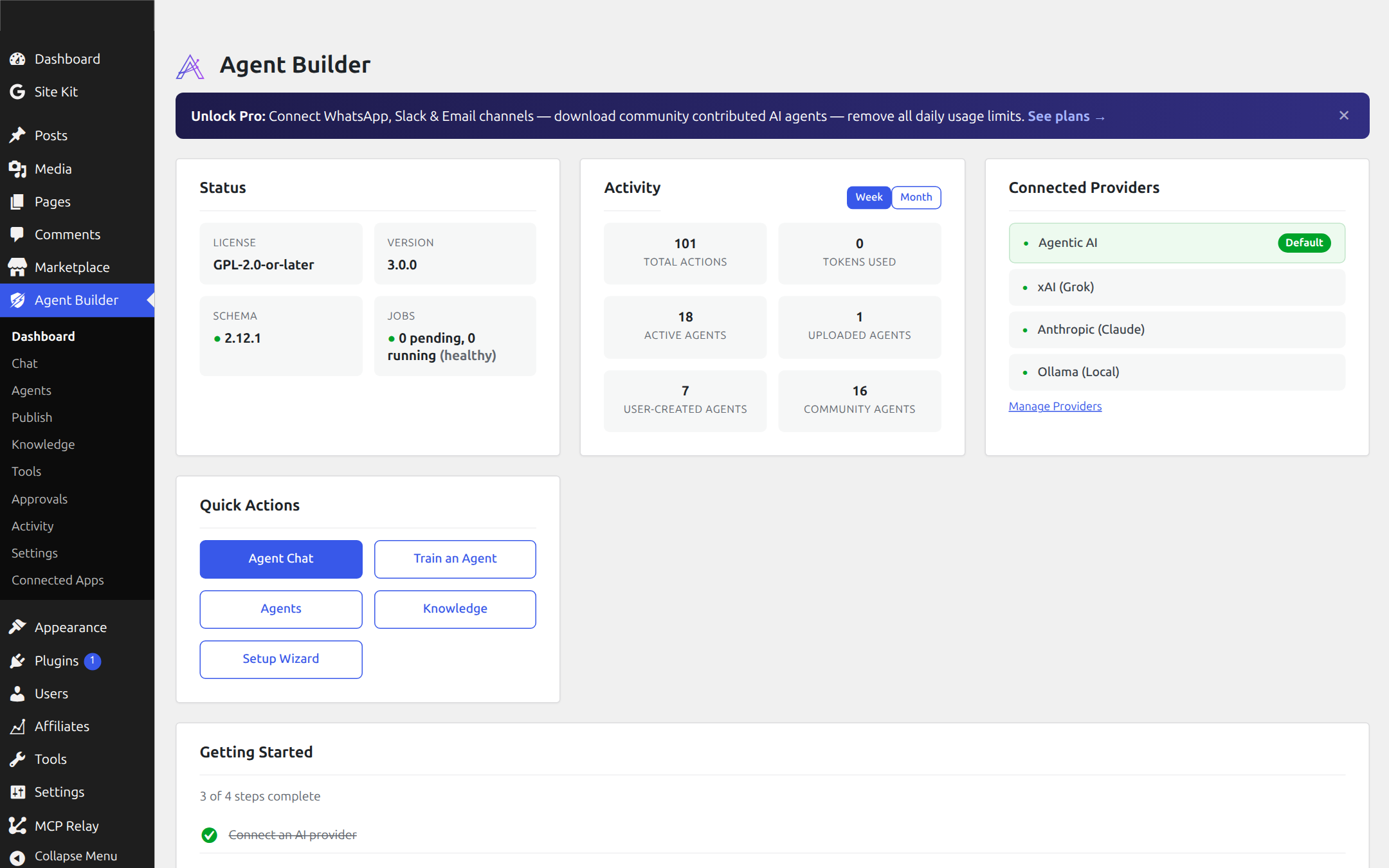
Agent Builder is a free WordPress plugin that lets you create and deploy role-based AI employees directly inside WordPress using plain job descriptions. No coding. No complex prompts. Describe the role you need, and your AI employee starts working.
It ships with 8 AI agents free and 261 built-in tools your agents use to take real action inside your site. Connect your own LLM provider (OpenAI, Anthropic, xAI, Google, and more) or use the built-in Agentic AI provider with free daily credits.
Key agents available in the Agent Builder marketplace:
🔍 SEO Assistant
Audits posts and pages, rewrites meta descriptions, adds schema markup
🛡️ Security Assistant
Monitors threats, scans plugins for CVEs, audits admin accounts
💊 Site Doctor
Finds broken links, database bloat, orphaned content, and PHP errors
✍️ Content Writer
Drafts, edits, and publishes posts from a topic or brief
📊 Site Auditor
Scores your site 0–100 across SEO, security, speed, and accessibility
🔧 Plugin Assistant
Builds complete WordPress plugins from natural language descriptions
The free tier includes unlimited agents, all 261 tools, scheduled tasks and event automation. Paid plans (Personal $59/yr, Agency $149/yr) add 9 Pro specialist agents, WhatsApp integration, MCP integration for Claude or VS Code, white-label branding, and vector store RAG training.
Common Questions About AI for WordPress
Ready to add AI to your WordPress site?
Download Agent Builder free — install in two minutes, connect a provider, and your first AI employee is ready to work.
Download Agent Builder Free →