
AI for WordPress.
How It Works.
Agent Builder puts AI to work inside your WordPress site — handling content, SEO, security, and maintenance while you stay in control.
"Think of it like hiring a very smart assistant who lives inside your WordPress dashboard."
- You write every blog post manually
- You check SEO meta tags by hand
- You monitor your site for issues yourself
- You need a developer for custom tasks
- You rely on static plugin code
- Your AI assistants draft and schedule content
- SEO is analysed and fixed automatically
- Site health is checked on a schedule you set
- Site Brief hands you a ranked to-do list — you approve, it acts
- You describe what you need once — assistants handle the rest
- Assistants run in the background on a schedule or when something happens on your site
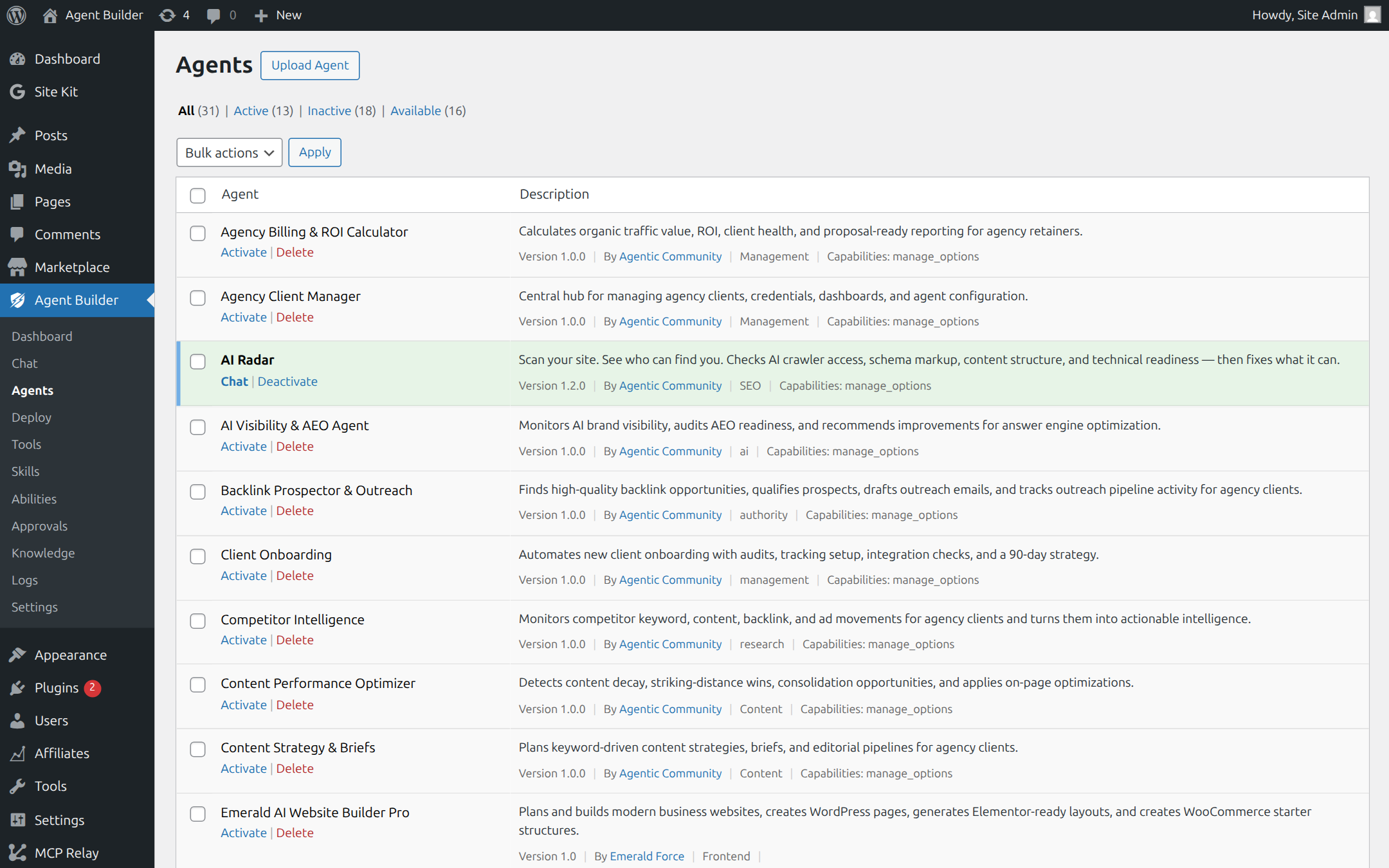
Up and Running in 3 Simple Steps
No developer needed. No complicated setup. Just install and start talking.
Install Like Any WordPress Plugin
Download Agentic Plugin for free and install it from your WordPress dashboard — the same way you'd install any other plugin. No accounts required to get started. No credit card. Just install and activate.
Tell It Which AI to Use
Start free with Agentic AI, our hosted service — you get 20 free queries every day, no API key and no credit card needed. Just create a free account and go. When you're ready for more power, bring your own key from OpenAI (ChatGPT), Anthropic Claude, Google Gemini, or xAI Grok — paste it in and you're set.
🔒 If you add your own API key, it is stored securely on your own server. It is never sent to our servers.
Describe What You Need. Watch It Happen.
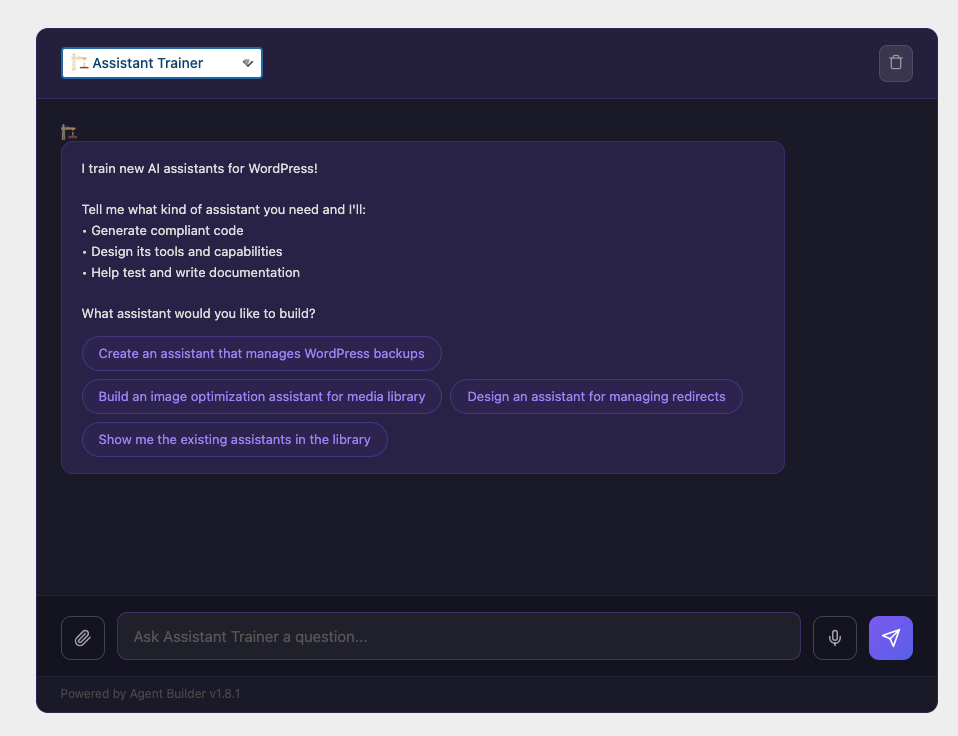
Once activated, you can run as many AI assistants as you like — each one focused on a different job. Talk to them directly in your WordPress admin, embed one on a page of your site, set one to run every night automatically, or have one spring into action the moment something happens — like a new order, a form submission, or a post being published. You stay in control at every step.
Here's a draft product description:
"Awaken your senses with our small-batch Sunrise Roast — a smooth, full-bodied blend with notes of dark chocolate and toasted almond. Ethically sourced, expertly roasted, and crafted for the perfect morning cup."
Four Ways to Run Your Assistants
Use them on demand, embed them on your site, schedule them, or trigger them automatically.
On demand, in your dashboard
Open your assistant any time from your WordPress admin and give it a task in plain English. Like texting a member of your team.
On any page of your site
Drop an assistant onto any page, post, or sidebar with a simple block or shortcode. Let your visitors ask questions, get recommendations, or get guided through your content.
On autopilot, while you sleep
Set an assistant to run at a set time — every morning, every week, once a month. Perfect for SEO checks, content updates, database cleanups, or any routine task you want handled without thinking about it.
Automatically, when something happens
Connect an assistant to something that happens on your site — a new order, a contact form submission, a post being published — and it fires instantly, without you needing to do anything at all.
What Will You Use It For?
Here's what WordPress site owners are already doing with Agentic Plugin.
What they do
Type in a topic or recipe idea. The assistant researches, drafts the post, adds suggested headings and internal links, and saves it as a draft — ready for your final review.
What they do
The SEO assistant reviews all your pages, identifies missing meta titles, weak headings, and thin content — then fixes them automatically or suggests improvements you approve one by one.
What they do
Paste in a list of products. The assistant writes compelling descriptions for each one in your brand voice, optimised for search, and saves them directly to your product pages.
What they do
Schedule a daily assistant to check for broken links, scan for security warnings, monitor plugin update statuses, and send you a summary report — without touching anything without your say-so.
What they do
Describe the style you want — "more modern," "warmer colours," "bigger headings" — and the assistant suggests or applies theme changes for you to preview and approve.
What they do
Ask the assistant to write a welcome email sequence, a promotional campaign, or social post captions — in your voice, ready to copy into your email tool or social scheduler.
The AI Works For You. Not The Other Way Around.
Every tool is risk-rated, and actions that change your site wait for your approval according to the level you choose. You decide how much an agent may do on its own.
Propose, Don't Act
When an action needs your approval, the assistant shows you what it plans to do first — a new paragraph, a meta description, a deleted file — and you choose to approve or reject it.
Full Audit Trail
Agent actions are recorded in a tamper-evident activity log with the time and what was changed. Before an agent changes a tracked file or database table, a backup is saved, so you can restore the previous version in one click.
Set Your Own Limits
Choose exactly what your assistant is allowed to do. Block it from publishing, limit it to one section of your site, or set a daily spending cap on AI usage. You make the rules. Write plain-English approval rules like "ask me first before publishing," and on any request choose to allow it just this once with "Allow for this task" — without changing the rule.
Agentic Plugin is covered by automated tests for permissions, security, and safety. It's built to be trusted.
Common Questions
No. You talk to the assistant in plain English — just like a text message. If it can be done in WordPress, you can ask for it.
None, to start. Agentic AI — our hosted service — gives you 20 free queries a day with no API key and no credit card. When you outgrow that, bring a key from OpenAI (ChatGPT), Anthropic Claude, Google Gemini, or xAI Grok; free and paid tiers are available, and a key takes about 5 minutes to set up.
Conversation history and the activity log are stored in your own WordPress database, and any API key you add is stored encrypted there. Prompts, and the content an agent works with, are sent to the AI provider you use: our hosted Agentic AI service (processed via Google Vertex AI / Gemini, and xAI for some features) or a provider you connect with your own key. Self-hosted builds send usage telemetry only if you opt in; the WordPress.org edition sends none.
Not at all. Assistants run in the background — whether you trigger them manually, they're scheduled to run at a set time, or they fire automatically in response to something on your site. None of this affects your frontend or page load times.
The core plugin is completely free. You get 12 built-in agents — including Content Writer, SEO Optimizer, Site Health Sentinel, and Storefront Assistant for WooCommerce — plus the Assistant Trainer for building unlimited custom agents, multi-agent delegation, local memory, Site Brief's approve-to-act scan, 275 tools, and 33 skill packs. A paid Pro license unlocks the Marketplace (buy and sell agents), 9 Pro specialists, outbound MCP, durable workflows, hard governance and budget caps, and premium channels like WhatsApp, Slack, and Email. Free stands on its own; Pro makes it powerful at scale.
They keep working. Installed assistants continue to run on your site. You just won't receive updates or be able to download new Marketplace assistants until you renew.
Ready to Give Your WordPress Site a Brain?
Install the free plugin in under 2 minutes. No account needed. No credit card.
Free to use · Works with WordPress 6.4+ · 14-day money-back on paid plans